Server-side variables in SCSS with Astro
With Astro, you can easily pass server-side variables into your script or style tags through define:vars directive enabling the use of server-side data in CSS at build time!
A couple of weeks ago, I finished my photography journal website. It was my first time using Astro and one of the features that caught my attention was being able to use server-side data in SCSS stylesheets.
On several occasions when using other frameworks, I wanted to style several child elements differently from each other with SCSS. However, I did not know the total number of child elements at build time, it could be 3 or 20, so I could not use SCSS loops to do so. But now with Astro, I could have that data at build time and pass it to SCSS through define:vars directive.
This came very handy when implementing a photo stack Astro component where I wanted to rotate and translate each image randomly to give a more natural effect to the pile of photos. It also helped keep the HTML template tidy and delivering zero lines of JavaScript.
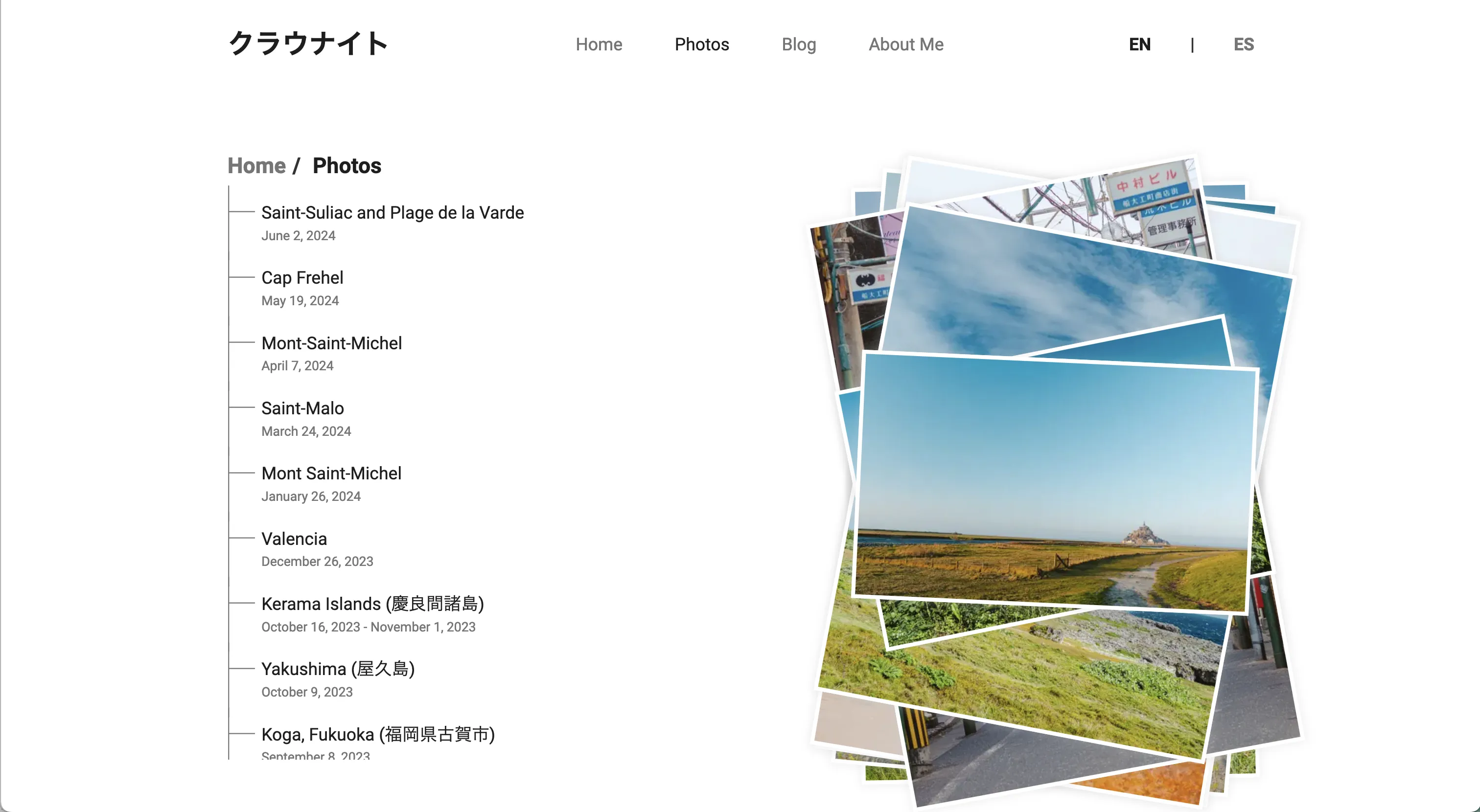
In this post, I will show you how to use Astro server-side variables in SCSS using that component as an example. It is broken into three parts:
You can also jump straight to the code and run the demo here!
1. Component Script
To be able to use the total number of photos as a value for the variable in SCSS, we need a string with a length equal to the total number of photos.
For example, if the total number of photos is 20, the value of the variable that we are going to pass will be '11111111111111111111'.
We need to do this because Astro passes the number as a string but SCSS needs a number for the loop, so we need to cast the string into a number with str-length function in SCSS. You can read more about this in Kitty Giraudel's post.
In this example, numOfPhotos server-side variable will store the string with length equal to the total number of photos and be passed to the style tag to be used in SCSS.
---
//  Component Script in PhotoStack.astro

import { Image } from "astro:assets";

interface Props {
    photos: string[];
}

const { photos } = Astro.props;

const numOfPhotos = Object.keys(photos).reduce((acc) => (acc += "1"), "");

---
2. Component HTML Template
In the HTML template, we only need to create the photo elements. I used the Astro Image component and BEM naming convention for CSS classes. The logic for rotating the photos will go in SCSS where the server-side variable will be used, keeping the HTML template cleaner.
<!-- Component HTML Template in PhotoStack.astro -->

<div class="stack">
    {
        photos.map((src) => (
            <Image
                src={src}
                alt=""
                inferSize
                class="stack__item"
                loading="eager"
            />
        ))
    }
</div>
3. Component SCSS Template
In the style tag, we pass the numOfPhotos server-side variable using define:vars. Now, we can cast it to a number with str-length and use it in the SCSS loop to rotate each photo of the stack!
// Component HTML Template in PhotoStack.astro

<style define:vars={{numOfPhotos}} lang="scss">
  @use "sass:math";

  .stack {
        display: grid;
        place-content: center;
        place-items: center;
        grid-template-columns: 0.5fr;

        &__item {
            grid-row: 1;
            grid-column: 1;

            // responsive image
            max-width: 100%;
            height: auto;

            // frame and shadow
            background-color: #fff;
            border: 8px solid #fff;
            box-shadow: 0 0 12px 2px rgba(216, 216, 216, 0.5);

            // random rotation
            $numOfPhotos: str-length(var(--numOfPhotos));
            $rotate: rotate(0);
            $translate: translate3d(0, 0, 0);

            @for $i from 1 through $numOfPhotos {
                $direction: -3;
                @if $i % 2 == 0 {
                    $direction: 3;
                }
                $rotate: rotate(#{$direction * $i + math.random()}deg);

                &:nth-child(#{$i}) {
                    transform: #{$translate} #{$rotate};
                }
            }
        }
    }
</style>
Now, we are done and successfully use a server-side variable in SCSS keeping the HTML template neat and using zero lines of client-side JavaScript!
Feel free to check the code and run it in the stackblitz demo!